Url
A URL input field with validation
The url field is a standard text field with the type url and a custom URL icon. It comes with built-in validation for URLs.
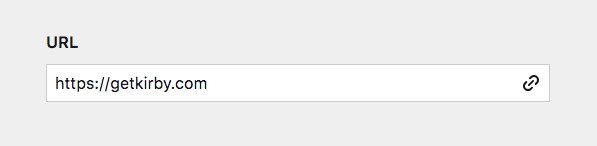
The URL validation may lead to incorrect results (= a valid URL being marked as invalid or the other way around) in rare edge-cases. In those edge-cases you can manually input the URL into the content text files or switch to a simple text field.
Example
fields:
  url:
    label: URL
    type: url
Field properties
| Name | Type | Default | Description |
|---|---|---|---|
| after | – | Optional text that will be shown after the input | |
| autocomplete | string |
url |
Sets the HTML5 autocomplete attribute |
| autofocus | bool |
– | Sets the focus on this field when the form loads. Only the first field with this label gets |
| before | – | Optional text that will be shown before the input | |
| default | – | Default value for the field, which will be used when a page/file/user is created | |
| disabled | bool |
– | If true, the field is no longer editable and will not be saved |
| help | – | Optional help text below the field | |
| icon | string |
url |
Changes the link icon |
| label | – | The field label can be set as string or associative array with translations | |
| maxlength | int |
– | Maximum number of allowed characters |
| minlength | int |
– | Minimum number of required characters |
| placeholder | – | Sets custom placeholder text, when the field is empty | |
| required | bool |
– | If true, the field has to be filled in correctly to be saved. |
| translate | bool |
true |
If false, the field will be disabled in non-default languages and cannot be translated. This is only relevant in multi-language setups. |
| when | – | Conditions when the field will be shown (since 3.1.0) | |
| width | string |
1/1 |
The width of the field in the field grid. Available widths: 1/1, 1/2, 1/3, 1/4, 2/3, 3/4
|
How to use in templates/snippets
Output the field value as simple string:
<?= $page->url() ?>Convert to a tag:
<?= $page->url()->toLink() ?>See the docs for the toLink() method for further options.
For more field manipulations, check out Kirby's field methods.